1. Login to the Webmail with respective username and password.

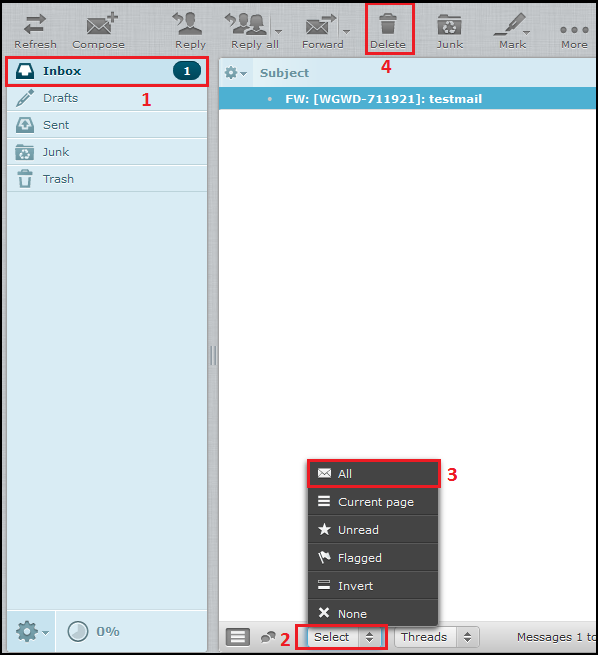
2. Click on “Inbox” and pick “All” from the “Select” dropdown at bottom of the webmail after that click on “Delete” button.
1. Login to the Webmail with respective username and password.
2. Click on “Inbox” and pick “All” from the “Select” dropdown at bottom of the webmail after that click on “Delete” button.