Imunify360 setup and configuration
Ref URL - https://www.imunify360.com/getting-started-settings/
- General Settings
- Malware Settings
- Backup settings
- Feature Management
- Notifications
- Proactive Defense
- Upgrade Imunify360
- Upgrade Imunify360 ModSecurity Ruleset
- Imunify360 Auto-Scan Schedule Bug
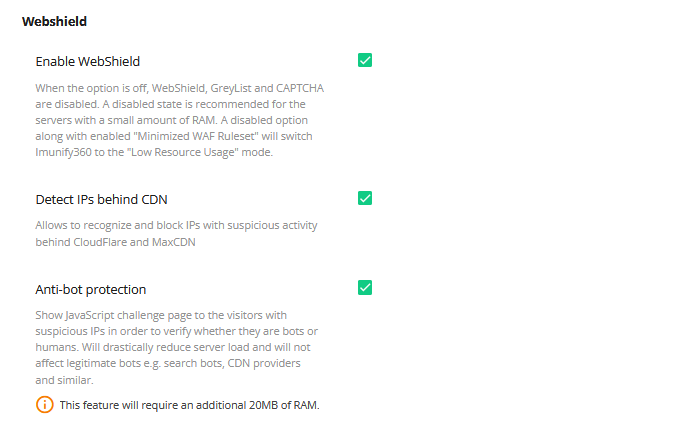
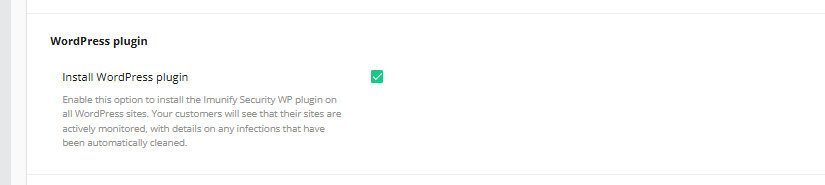
1. General Settings



2. Malware Settings
Go to the "MALWARE" tab and update the settings as below.


(3).png)
.png)
3. Backup settings
(If Plesk schedule backup is setup then it needs to be activate)

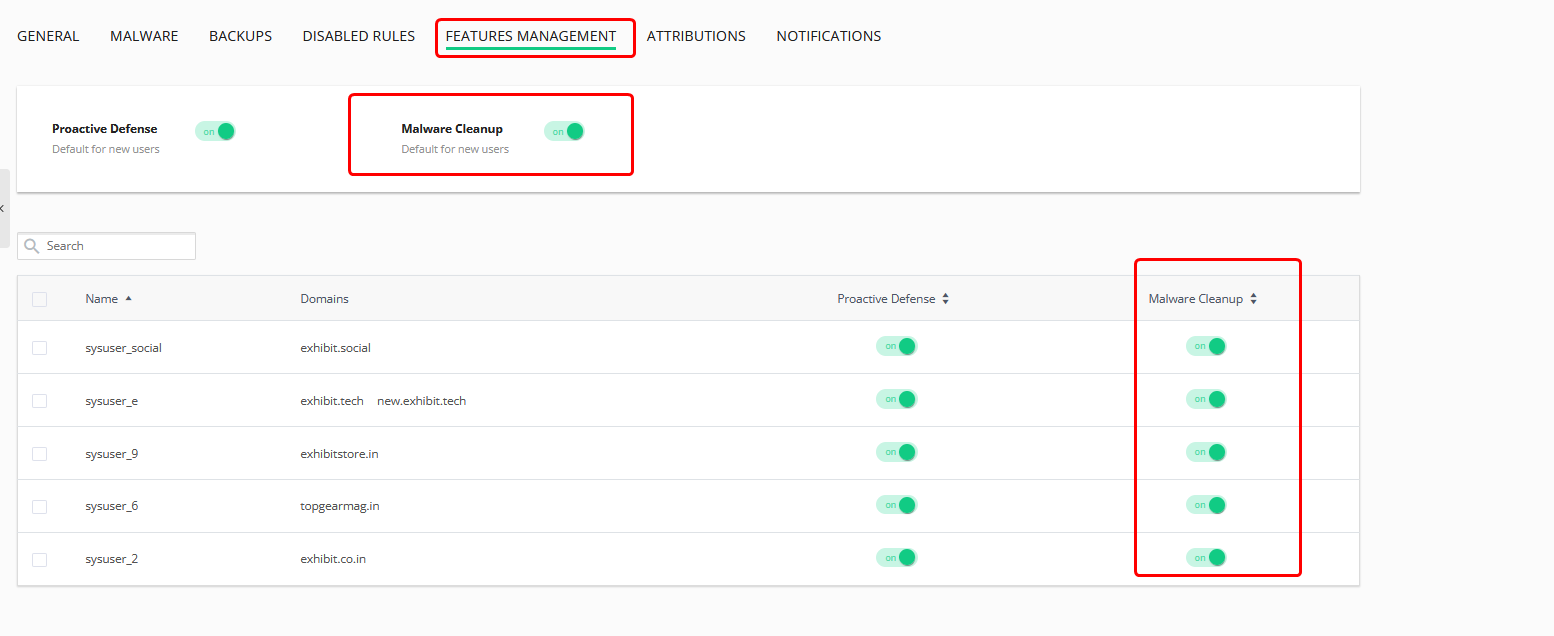
4. Feature Management

5. Notifications

6. Proactive Defense

Upgrade Imunify360
Check the Imunify360 version first.
6.3.1-4
For the regular and safe update to Imunify360 to the latest version with a gradual rollout, use the below yum command.
Upgrade Imunify360 ModSecurity Ruleset
To check the current version of modsecurity for Cpanel
To check the current version of modsecurity for Plesk
Note: The imunify360 modsecurity component is managed from "agent-vendor" module. Uninstallaing and then re-installing the module will update the underlying modsecurity ruleset and version to the latest.
First Uninstall the imunify modsecurity agent vendor with the below command
Re-install the updated imunify modsecurity agent vendor with the below command
09 Nov 25 - Imunify 360 and ImunifyAV Auto-Scan Schedule Bug
Issue: IM360 and ImunifyAV stopped auto scanning at scheduled time on Plesk Servers
Update: IM360 developers have identified a bug that is causing this issue. A permanent fix will be included in the upcoming Imunify AV 8.6.8 package update. You can track the progress of this fix in future changelog entries under Task ID: DEF-37371. For real-time updates, please refer to our status page.
Temporary Resolution: The below cron is scheduled at 1 AM on the Plesk servers. The script will manually start the scanning as per the cron schedule.