|
|
Article ID: 1848
Last updated: 19 Nov, 2026
FortiClient ZTNA Edition Install & IPsec VPN Setup on AlmaLinux 9 Applies to: AlmaLinux 9 (RHEL 9 compatible), FortiClient Zero Trust Fabric Agent (ZTNA Edition) Purpose: Install FortiClient on AlmaLinux 9 and configure an IPsec (IKEv2) VPN connection to the office FortiGate. 1. OverviewWe first installed the FortiClient VPN-only client on AlmaLinux 9. After launching it, the VPN configuration screen offered no IPsec VPN option, so it could not be used for our IPsec/IKEv2 tunnel. Resolution: Remove the VPN-only client and install the ZTNA Edition of FortiClient, which includes the IPsec VPN, SSL-VPN and XML configuration tabs. Note: The FortiClient VPN-only edition does not show the IPsec VPN option. Always use the ZTNA Edition when an IPsec VPN is required. 2. Prerequisites
3. Remove the VPN-only client (if installed)rpm -qa | grep -i forti sudo dnf remove forticlient_vpn # use the exact package name shown above 4. Download the ZTNA Edition
Note: The download page may require a Fortinet support account login depending on the release. 5. Install on AlmaLinux 9Add the Fortinet repo: sudo dnf config-manager --add-repo https://repo.fortinet.com/repo/forticlient/8.0/el/os/x86_64/fortinet.repo If using ARM64, use this instead: sudo dnf config-manager --add-repo https://repo.fortinet.com/repo/forticlient/8.0/el/os/aarch64/fortinet.repo Install FortiClient: sudo dnf install forticlient Launch FortiClient from the application menu, or from a terminal: forticlient -gui Note: "Disconnected / Untrusted Network" on the home screen is normal before a VPN is configured and connected. 6. Add the IPsec VPN connection
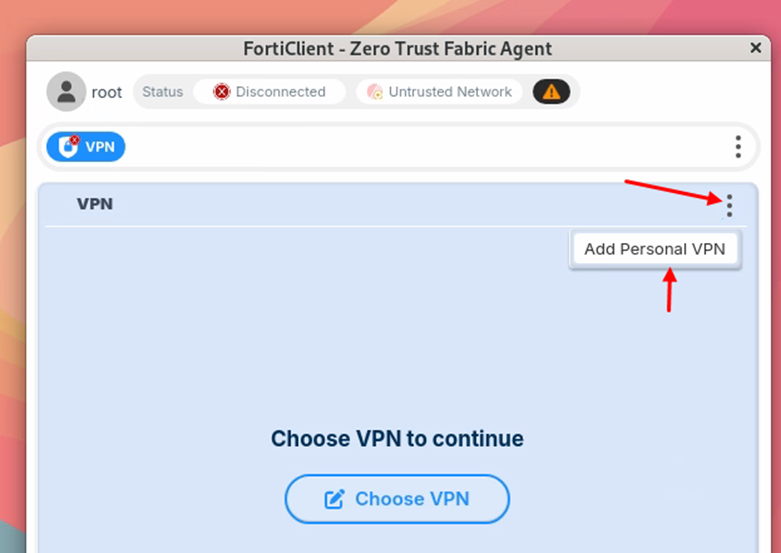
Figure 1: VPN tab > three-dot menu > Add Personal VPN 6.1 General settings
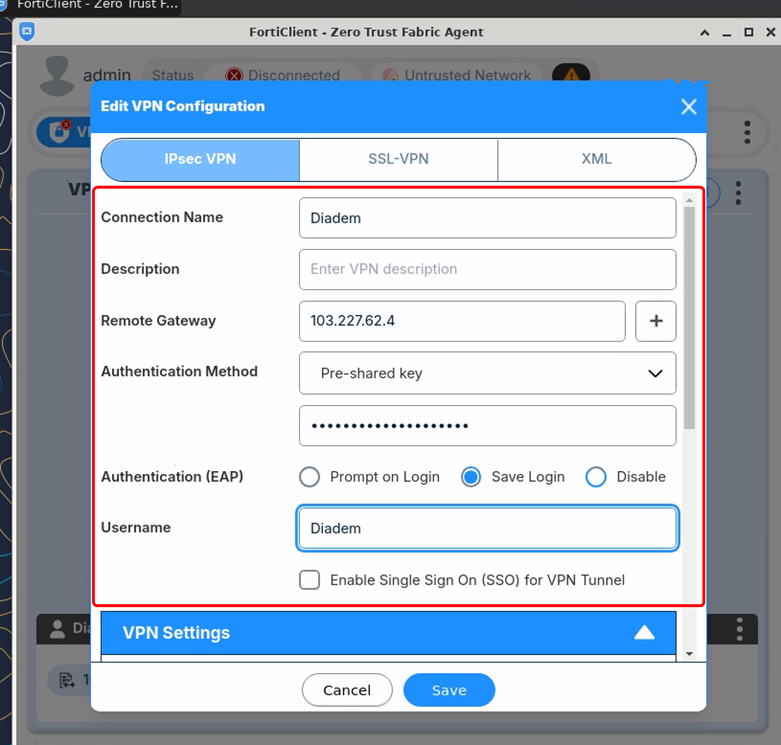
Figure 2: General settings (pre-shared key masked) 6.2 VPN Settings
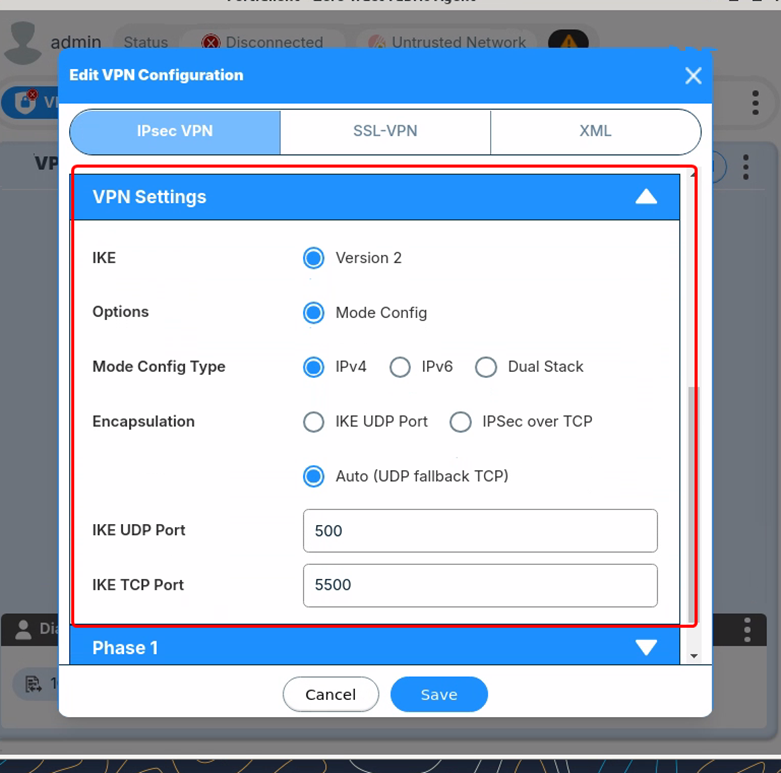
Figure 3: VPN Settings 6.3 Phase 1
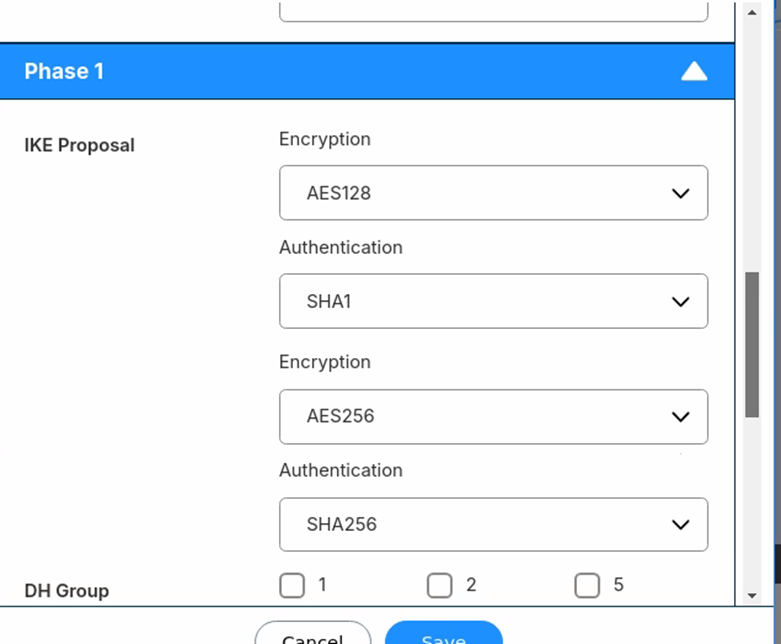
Figure 4: Phase 1 IKE proposals
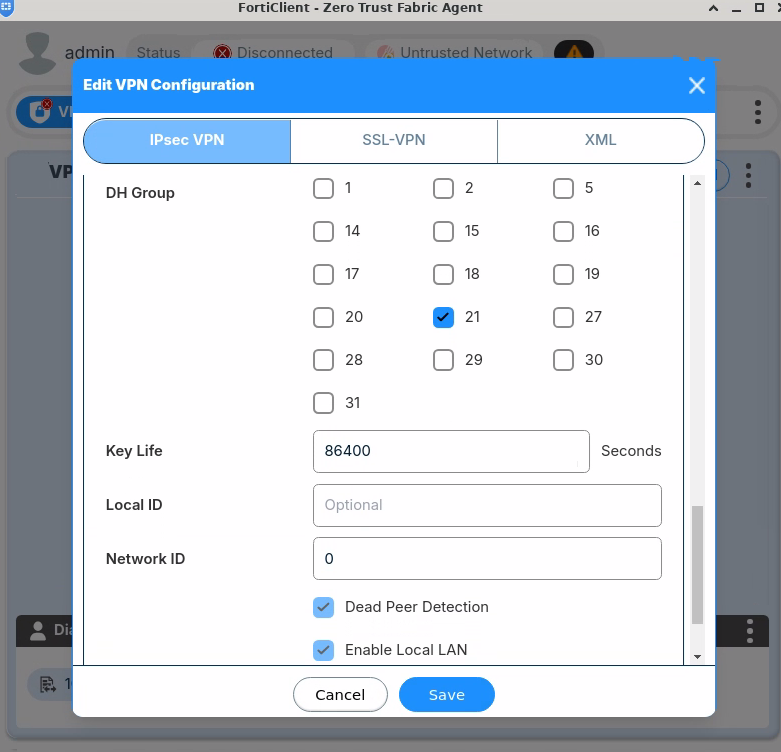
Figure 5: Phase 1 DH group 21, key life, DPD and Local LAN 6.4 Phase 2
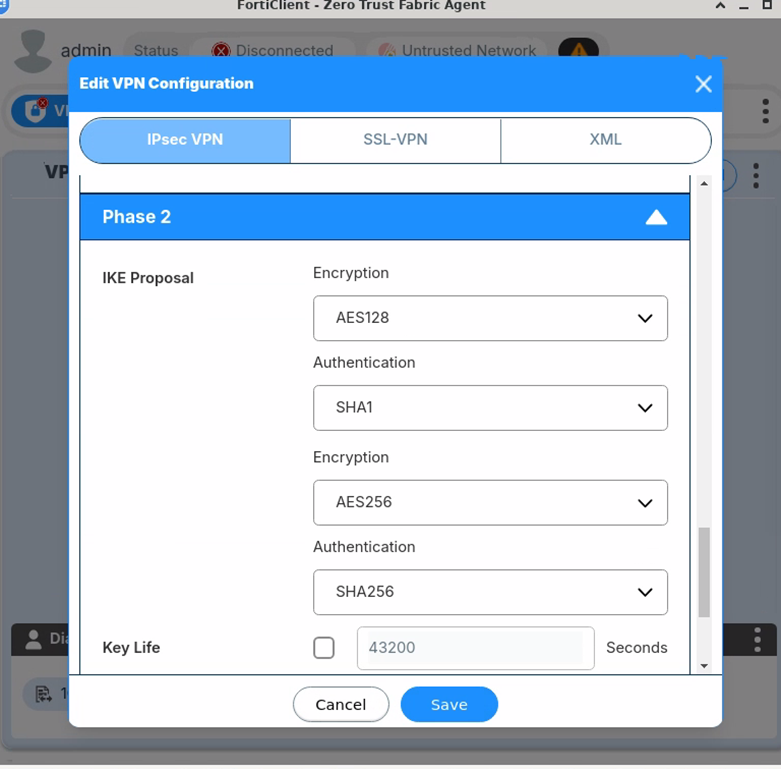
Figure 6: Phase 2 IKE proposals
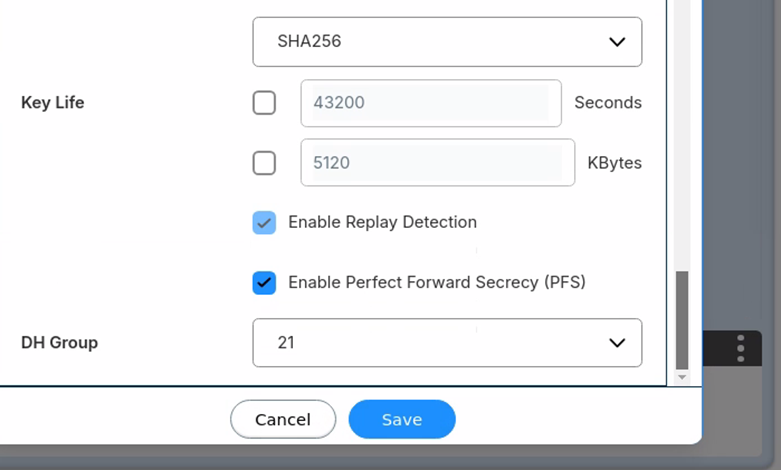
Figure 7: Phase 2 replay detection, PFS and DH group 21 Click Save when all settings are entered. Note: Phase 1 and Phase 2 proposals and the DH group (21) must match the FortiGate side exactly, otherwise the tunnel will fail to negotiate. 7. Connect to the VPN
Verify on AlmaLinux: ip a | grep -i -E "vpn|ppp|tun" ip route ping <internal-server-ip> 8. Troubleshooting
9. Summary of Steps
Do not store the pre-shared key or user passwords in this document. Obtain them from the network/security team.
This article was:
Report an issue
Article ID: 1848
Last updated: 19 Nov, 2026
Revision: 6
Views: 9
Comments: 0
Tags
|