|
|
Article ID: 1827
Last updated: 09 Jun, 2026
Email Scout Reports in SpamExpert Spam FilterOverviewEmail Scout Reports allow administrators and users to receive scheduled reports of emails. Reports can be configured for incoming and outgoing email traffic and can be delivered automatically at a scheduled time Accessing the Spam Filter Portal
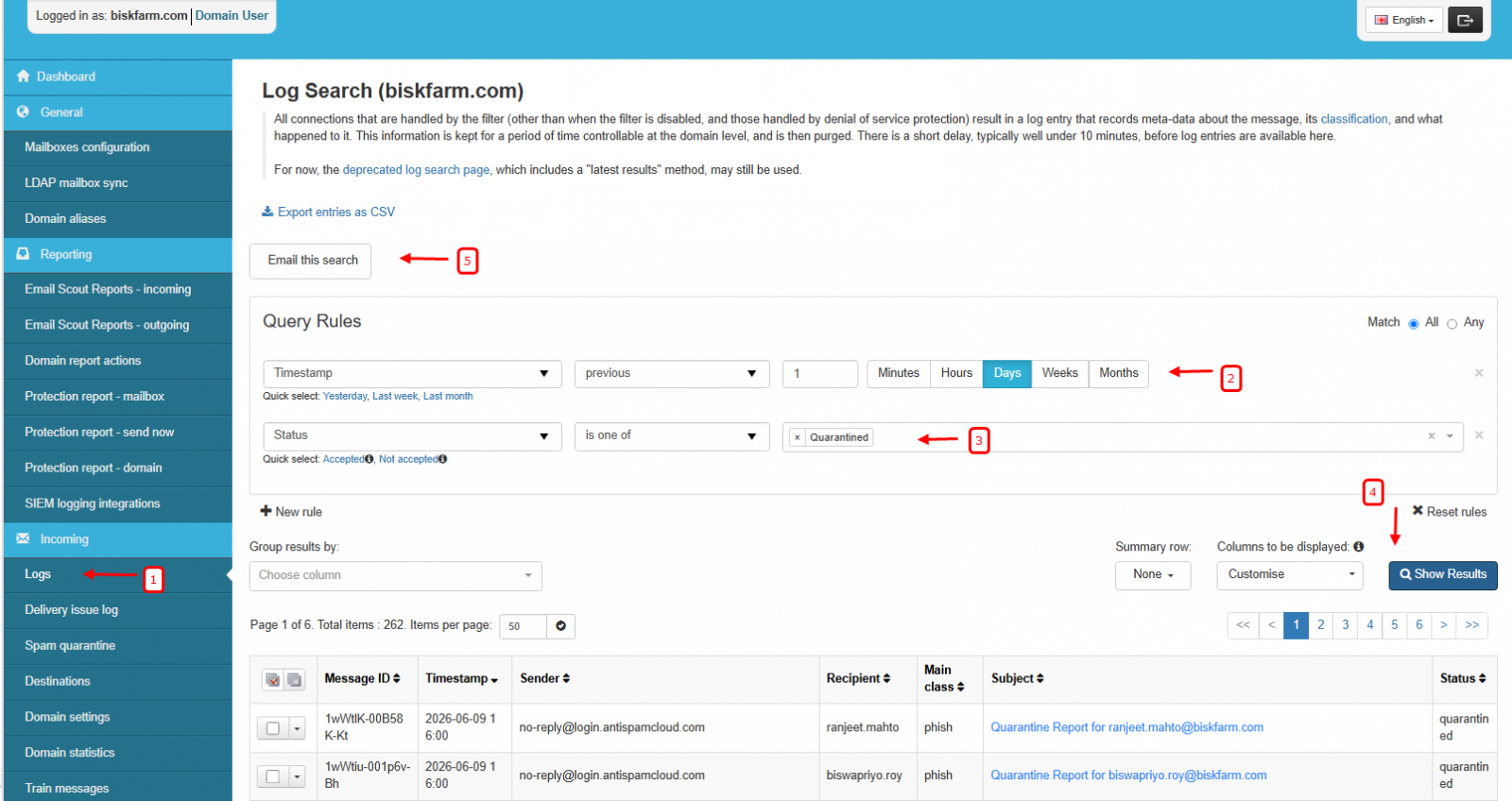
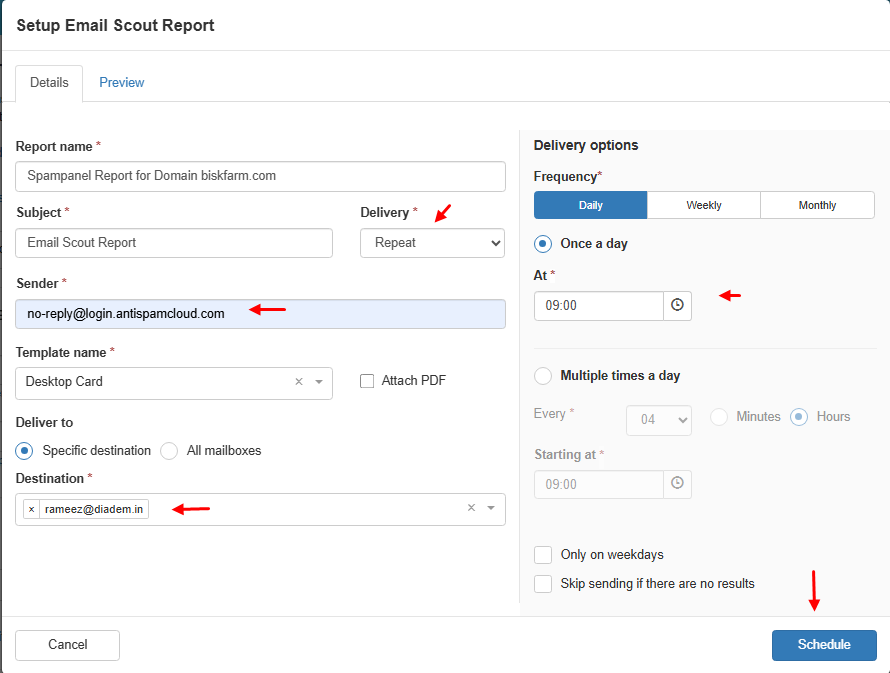
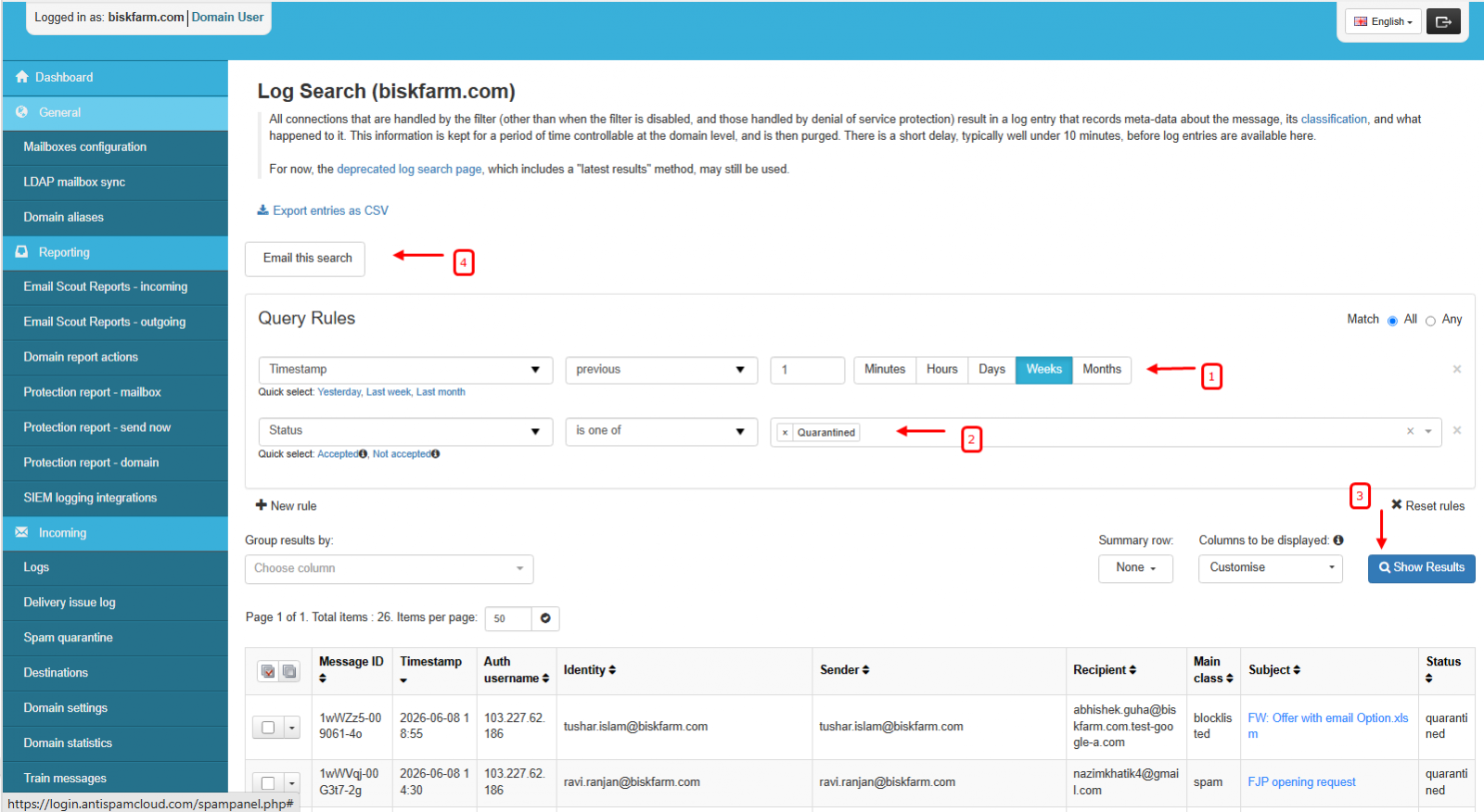
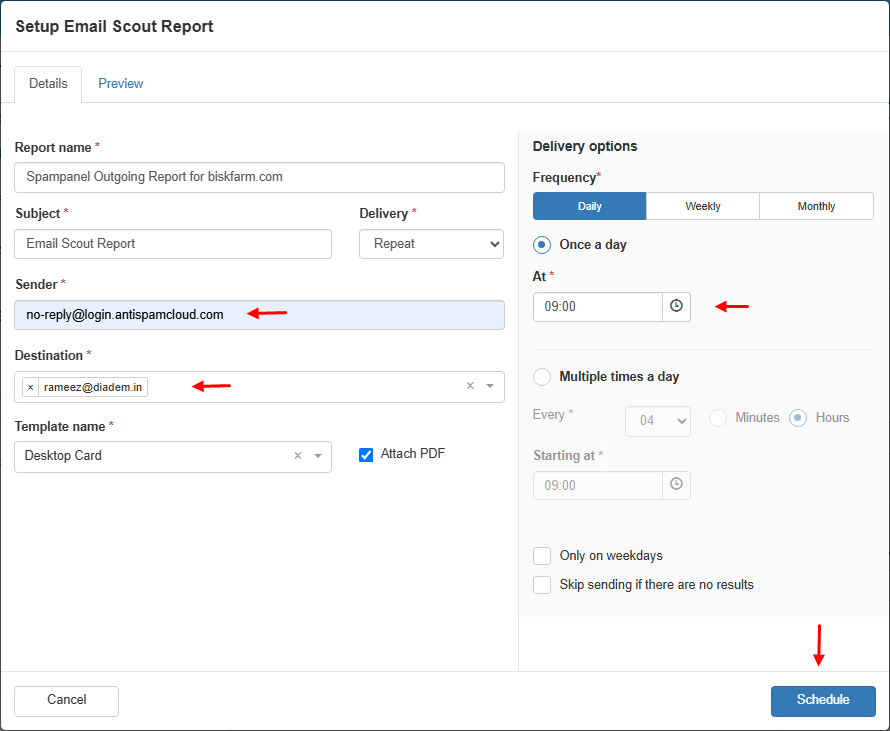
Domain Wise Incoming Scout ReportThis report provides a daily summary of incoming emails that have been quarantined for a specific domain. Steps to Create an Incoming Scout Report
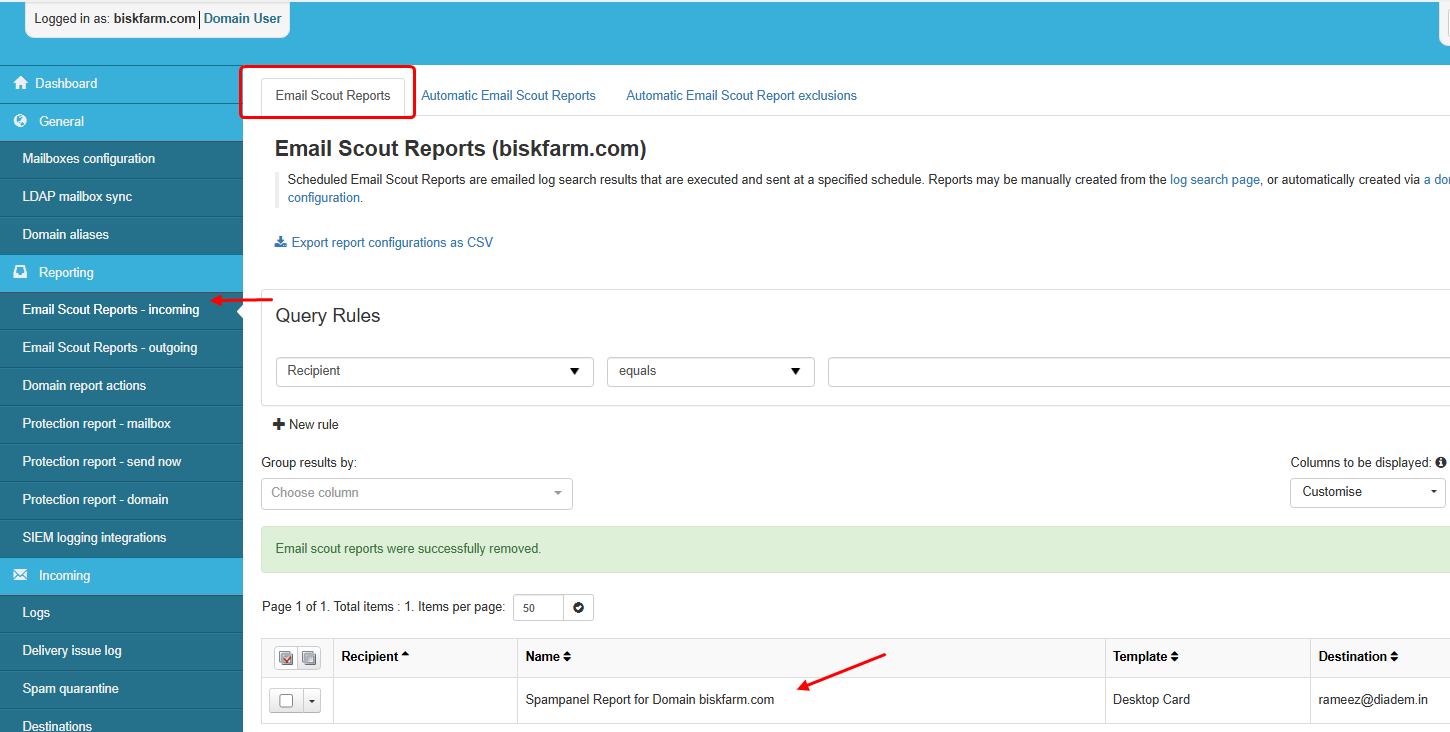
Managing Incoming Scout ReportsAfter the report is created:
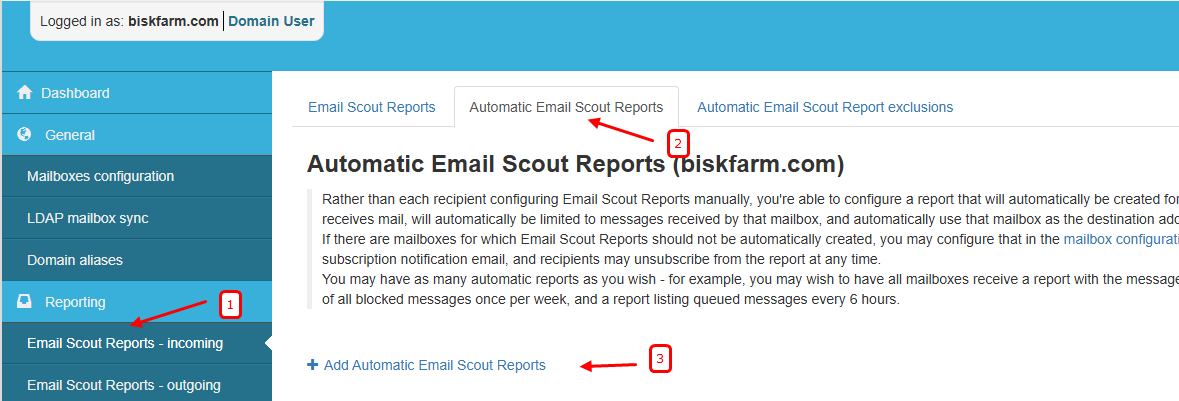
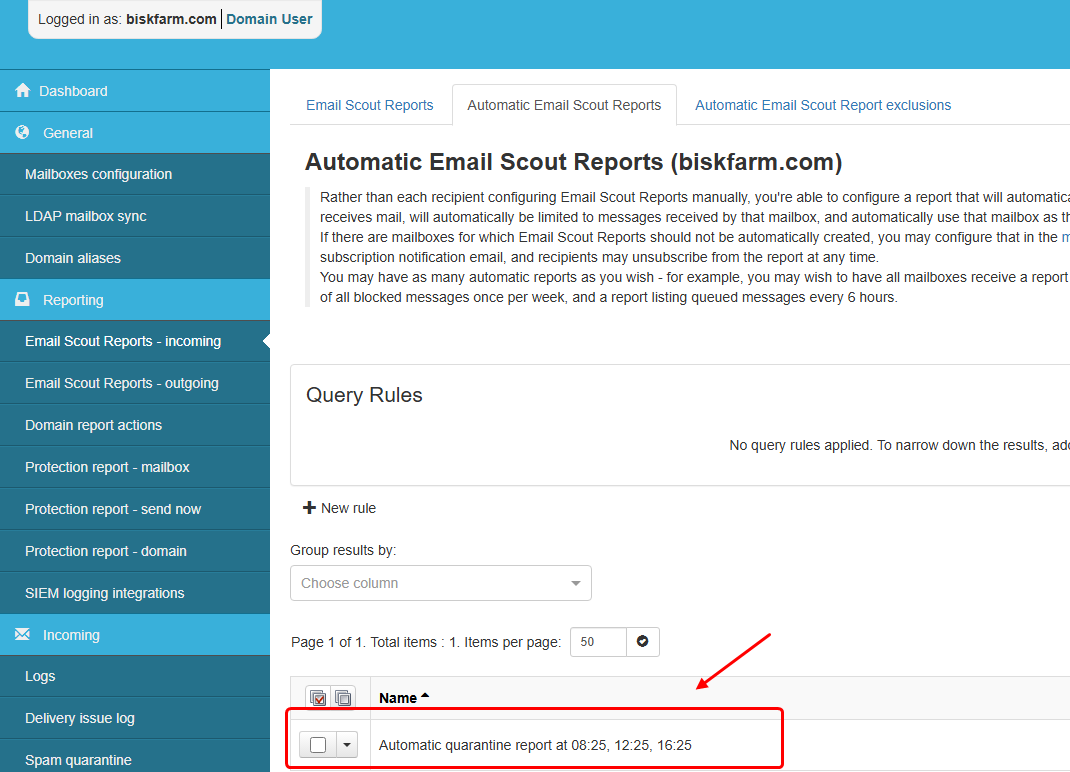
User-Wise Scout ReportUser-wise Scout Reports allow mailbox users to automatically receive reports containing their quarantined incoming emails. Steps to Enable Automatic Scout Reports
Once enabled, all mailbox users with quarantined incoming emails will automatically receive Scout Reports according to the configured schedule. You can modify the report schedule at any time based on your organization's requirements.
Domain-Wise Outgoing Scout ReportThis report provides a daily summary of outgoing emails that have been quarantined for a specific domain. Steps to Create an Outgoing Scout Report
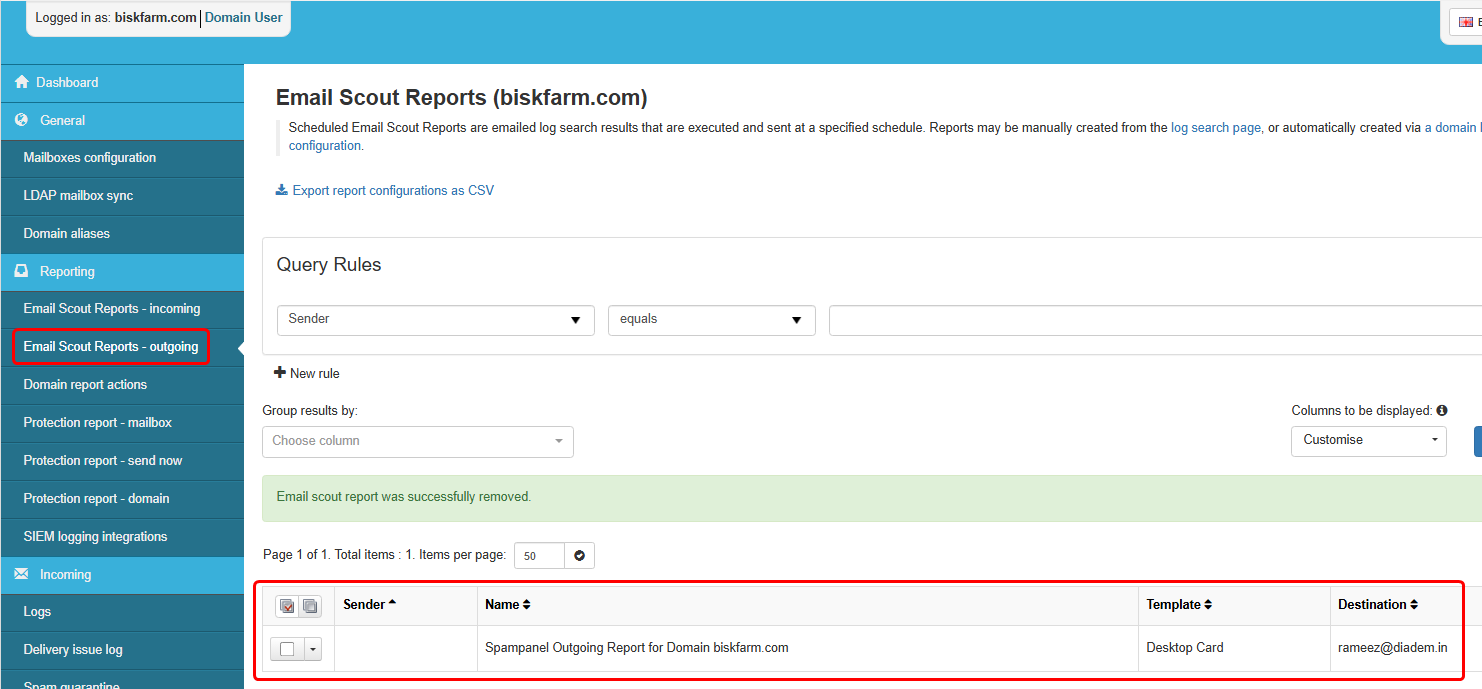
Managing Outgoing Scout ReportsAfter the report is created:
Notes
This article was:
Report an issue
Article ID: 1827
Last updated: 09 Jun, 2026
Revision: 3
Views: 220
Comments: 0
Tags
External links
|


.png)